Metric Configuration
The main metric configuration process in the LIGHTHOUSE module is not different from interacting with the RSM component. More details can be found in the relevant section.
The differences are in the part of setting up the metric health model:

Health Model Setup
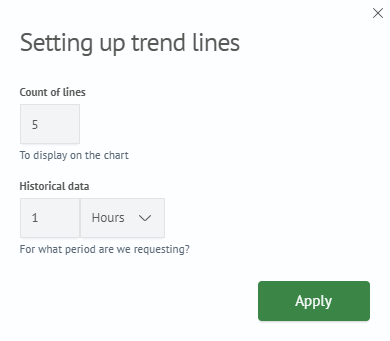
For the module, there is such an option as Trend Line Setup, which allows setting the number of lines on the trend graph, as well as setting the period for displaying historical data:
Also, for the active Time Breakdown option, there is an opportunity to set up calculation through the Adaptive Model switch:
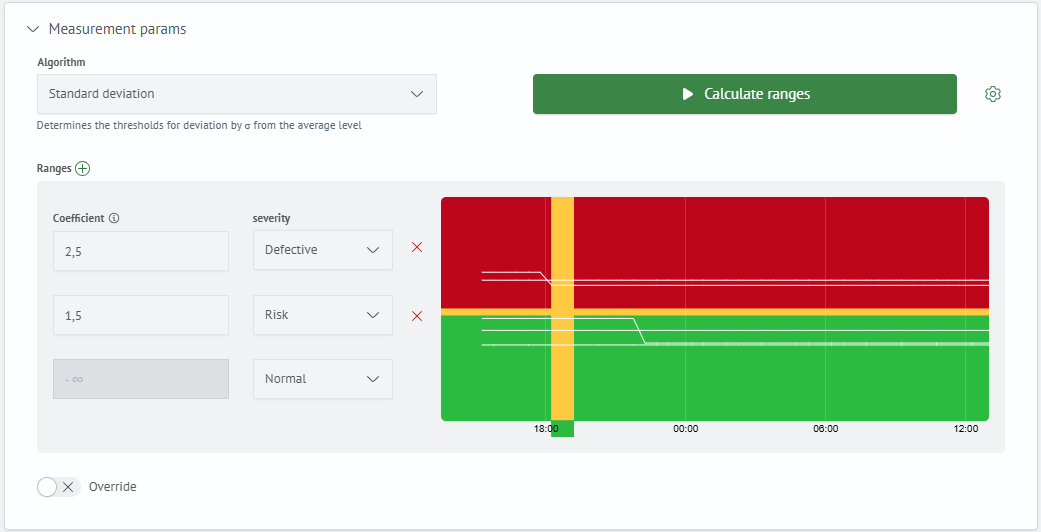
This calculation option implies automatic determination of ranges according to a certain algorithm based on metric values. List of available algorithms:
Standard Deviation- determines thresholds by deviation of σ from the average levelPercentile Thresholds- sets thresholds based on historical dataRanges- calculates ranges from historical minimum and maximumPercentage Deviation- calculates thresholds as a percentage deviation from the average value of historical data
To set up training parameters, click on the "gear":
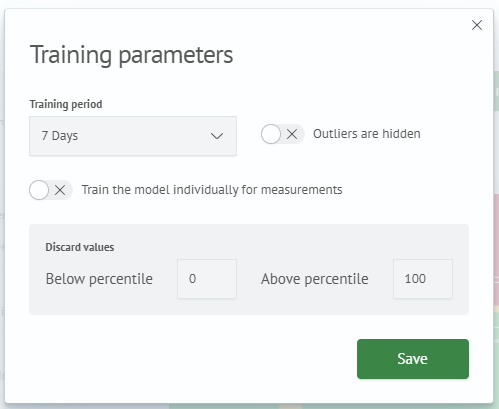
After making the necessary settings, you can train the model and calculate ranges by clicking the Calculate Ranges button.