Watchlists
A UBA watchlist is an Inventory watchlist connected to UBA. A connected list increases the risk scores of its objects through a multiplier or an additive bonus.
To open the page, select Main Menu - User Behavior Analytics - Watchlists.
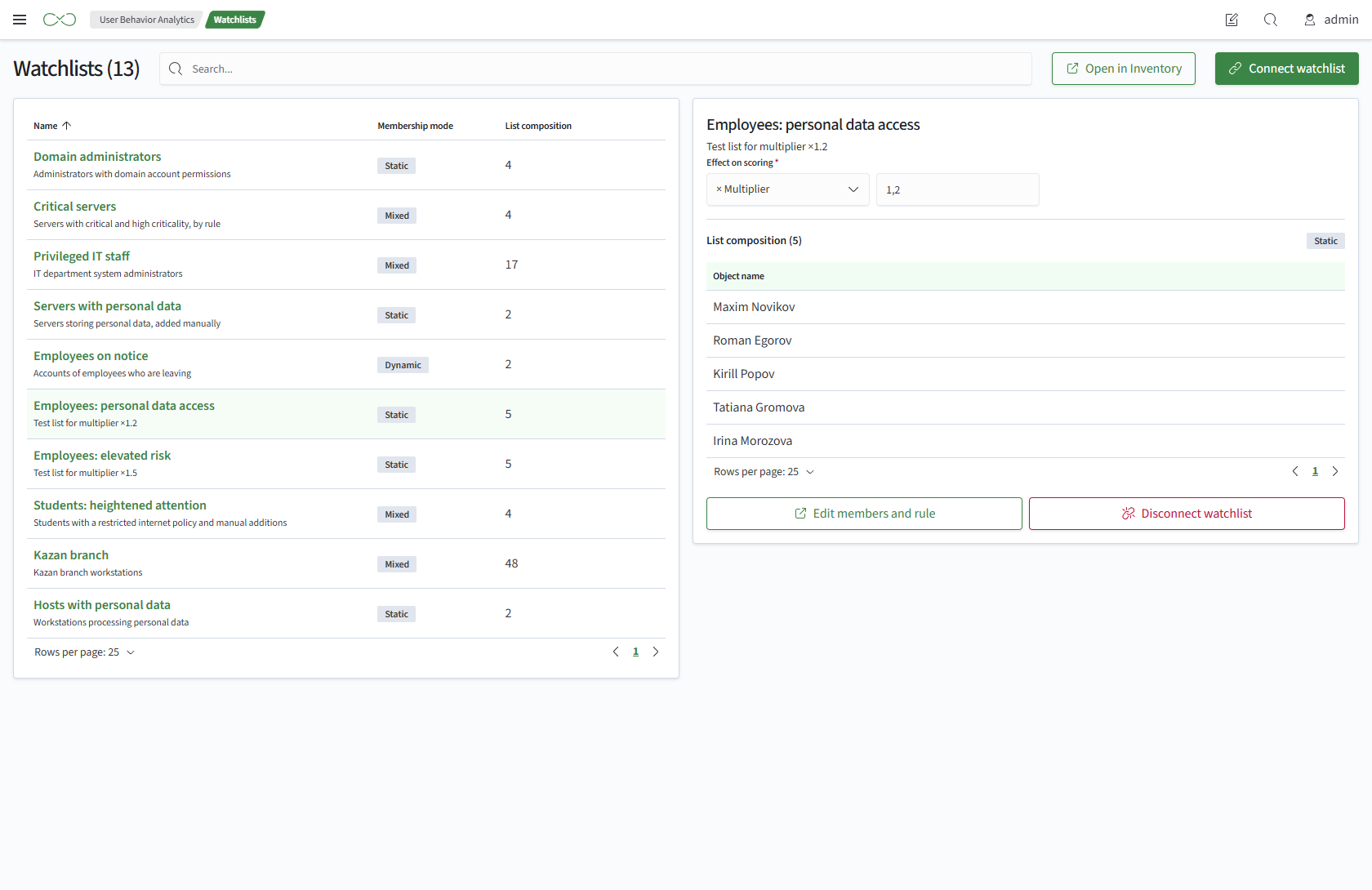
Connected Watchlists
The page heading shows the number of connected lists. Above the table are search and two buttons:
- Open in Inventory - opens the watchlists in Inventory
- Connect List - connects an Inventory list
The table contains:
- Name - the list name and description
- Membership Mode - how membership is defined:
Dynamic,Static,Mixed, orEmpty - List Members - the number of asset objects in the list
Selecting a row opens the list panel on the right.
Connecting a List
To connect a list:
- Go to
Main Menu-User Behavior Analytics-Watchlists - Click
Connect List. A dialog opens with Inventory lists that have not yet been connected - Select a list
- Click
Connect List - Set the
Effect on Scoringin the list panel to a multiplier or bonus
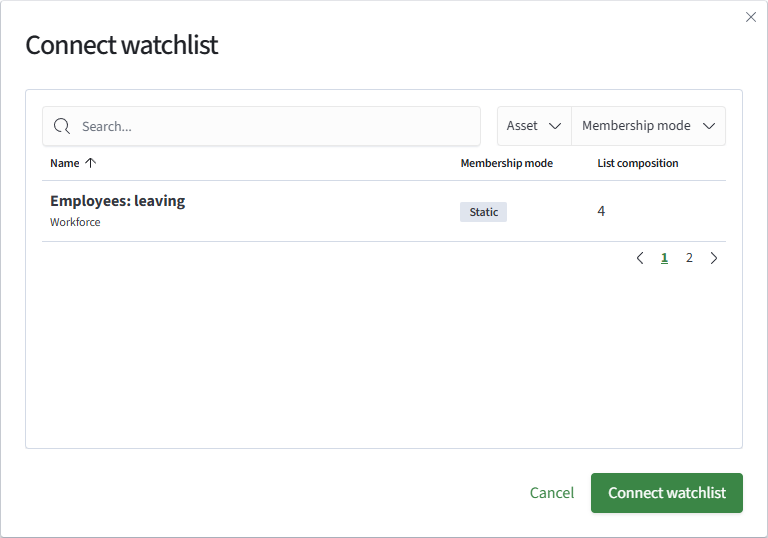
The dialog provides search, Asset and Membership Mode filters, and a list table with these columns:
- Name - the list name and Inventory asset
- Membership Mode - how membership is defined
- List Members - the number of asset objects in the list
If the list you need is not shown, create it in Inventory using Open in Inventory above the connected-list table.
List Panel
The list panel contains:
- Name and Description of the list
- Effect on Scoring - the effect type (
MultiplierorBonus) and value. Click the effect field to change it - List Members - the object count, membership mode, and an object table with an
Object Namecolumn. Membership is read-only here. It does not show scores or zones: a list member is an Inventory asset object and may not be a UBA object - Edit Membership and Rule - opens the list in Inventory
- Disconnect Watchlist - disconnects the list from UBA
Disconnecting removes only the UBA connection and its effect. The list remains in Inventory. You cannot delete the list itself from UBA.
Effect on Score
The effect determines how list membership increases an object's risk score. Each list has one of two effects:
- Multiplier - multiplies the score without lists. If an object belongs to several lists, the highest multiplier applies. A multiplier below 1 does not lower the score
- Bonus - points added after multiplication. Bonuses from multiple lists are summed
Access
Access to a connection is determined by permissions on the Inventory list. A user who can access the list can see the connection. Connecting, changing the effect, and disconnecting require permission to edit the list.