Rule Families
A rule family classifies an alert, for example process execution, remote access (VPN), or printing. A family does not assign a separate score. It shows which behaviors contributed to an object's score and is used in anomaly detection rules.
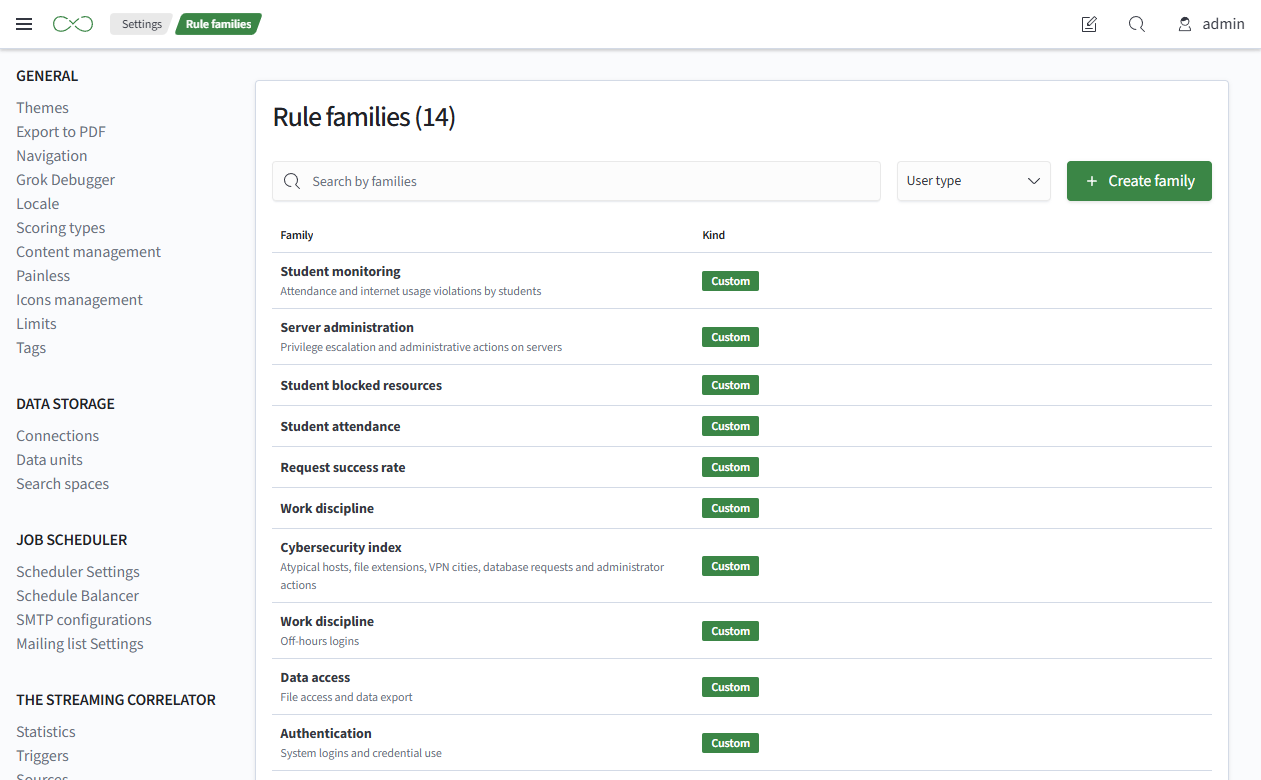
To open the lookup page, select Main Menu - Settings - Module Settings - UBA - Rule Families.
Where Families Are Used
Families are used in:
- reactions and the
UBA Alertaction - a family is selected when classifying an alert and is stored in that alert - object cards - the contribution bar and family filter
- the
Why This Scorepage - contribution breakdown by family - anomaly detection rules - the
family setandfamily sequencerule types - the anomaly feed - families of triggered rules and the family filter
Family Types
- system families - supplied with the module, including process execution, privileged activity, removable media and devices, and others. System families cannot be deleted or renamed
- custom families - created by users and can be renamed or deleted
Creating a Family
To create a family:
- Go to
Main Menu-Settings-Module Settings-UBA-Rule Families - Click
Create Family - Fill in
Name. The name is required and must be unique - Optionally fill in
Description - Click
Save
note
Renaming or deleting a family does not change existing alerts: a copy of the family name is stored in each alert. A score breakdown that includes alerts from before the rename shows both names.