launch_policy_on_selected_objects
description: A profiling policy can be started manually for selected objects of a specific type. To do this, select the required UBA objects from the object list and start the policy using the corresponding button. keywords: [objects, UBA, list, launch, policy launch, policies]
Running a policy for selected objects
A profiling policy can be started manually for selected objects of a specific type. To do this, use multiple selection in the UBA object list and start the required policy using the corresponding button.
Running a policy
To run a policy for selected objects:
1. In the navigation menu, go to User Behavior Analytics → Objects
2. Select the required object type from the Select type drop-down list above the table
3. Use the checkboxes to select the objects for which you want to run the profiling policy
4. Click Run policy. This button is located above the object list table and is displayed only when at least one object is selected

5. In the modal window that opens, select the policy you want to run
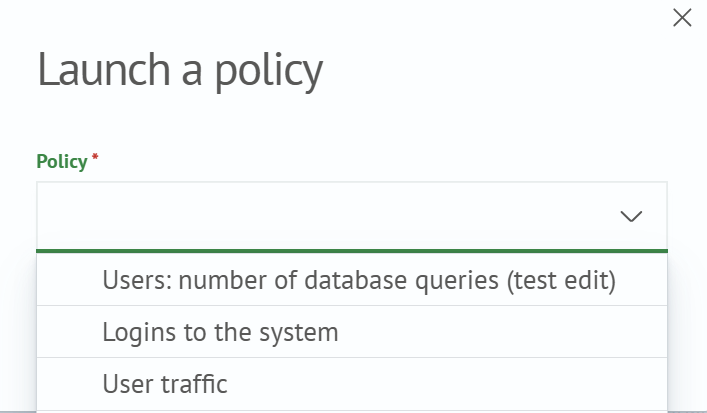
The list of policies available for launch includes only policies that are applicable to the selected object type and for which the current user has write permissions.
6. To run the policy for the selected objects, click Run policy in the modal window
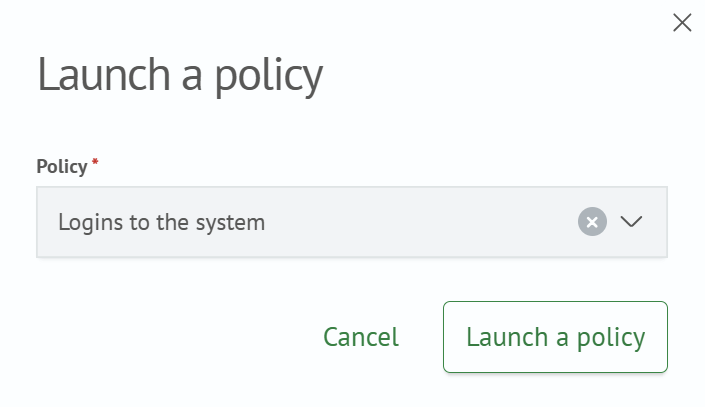
7. The profiling policy starts processing the selected objects