Profiling Results
The Profile tab of the object card shows the results calculated for the object by profiling policies. Reaction rules compare new events with these results. You can adjust a result manually for this object only.
To open the tab, select Profile in the object card.
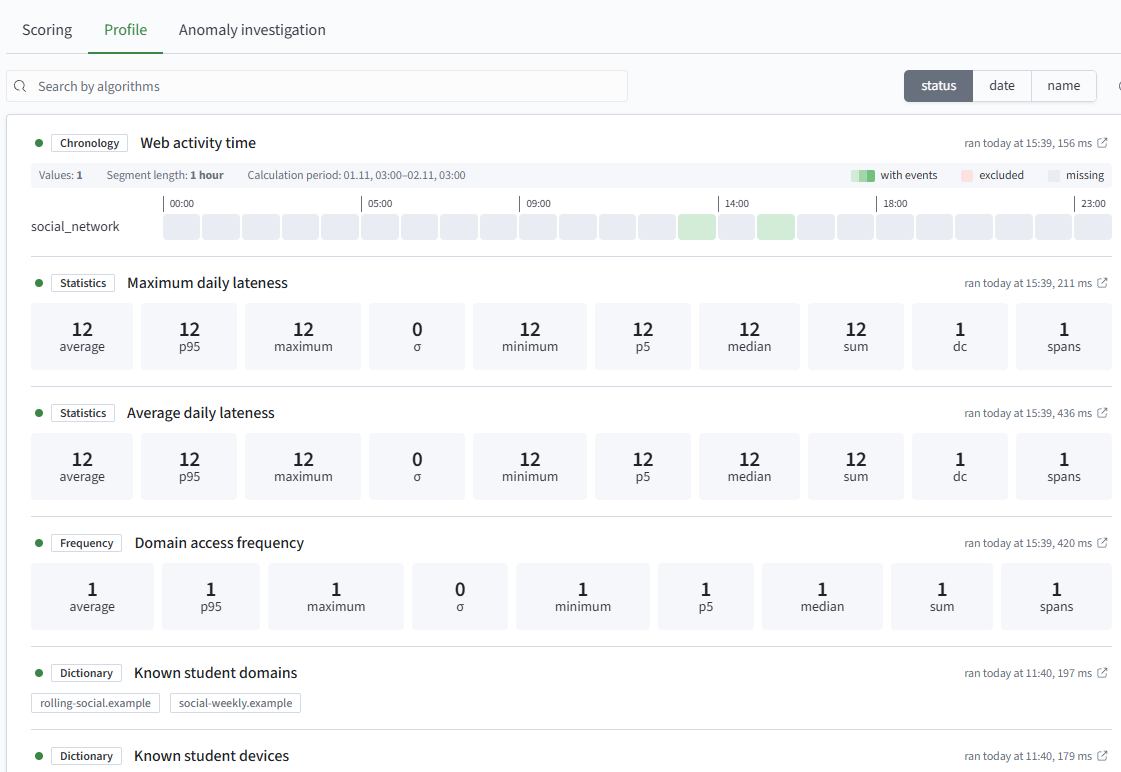
Algorithm List
The tab lists algorithms from all policies that profile the object. Above the list are:
- algorithm search
- sorting - by status, run date, or name
- refresh - refreshes the list
Each algorithm shows:
- status indicator - a dot next to the name; its color shows the status of the last run
- algorithm type and name
- last run - its time and duration, for example
started today at 15:00, 240 ms. The icon next to it opens the policy run - preview - a shortened result
The preview shows only part of the result. All values appear on the Values Page.
The preview depends on the algorithm:
- Dictionary - the first value combinations. A counter shows how many more values exist, for example
+29 - Statistics - baseline metrics
- Frequency - metrics aggregated by object and the number of dimension values
- Timeline - tracks for dimension values: each value has a row of segment cells. The number of values, segment length, and calculation period appear above the tracks; the legend distinguishes segments
with events,excluded, andmissing
If there is no result for the object, the preview is replaced with the message No profiling data is available for this object and algorithm.
Values Page
Click an algorithm preview to open the page.
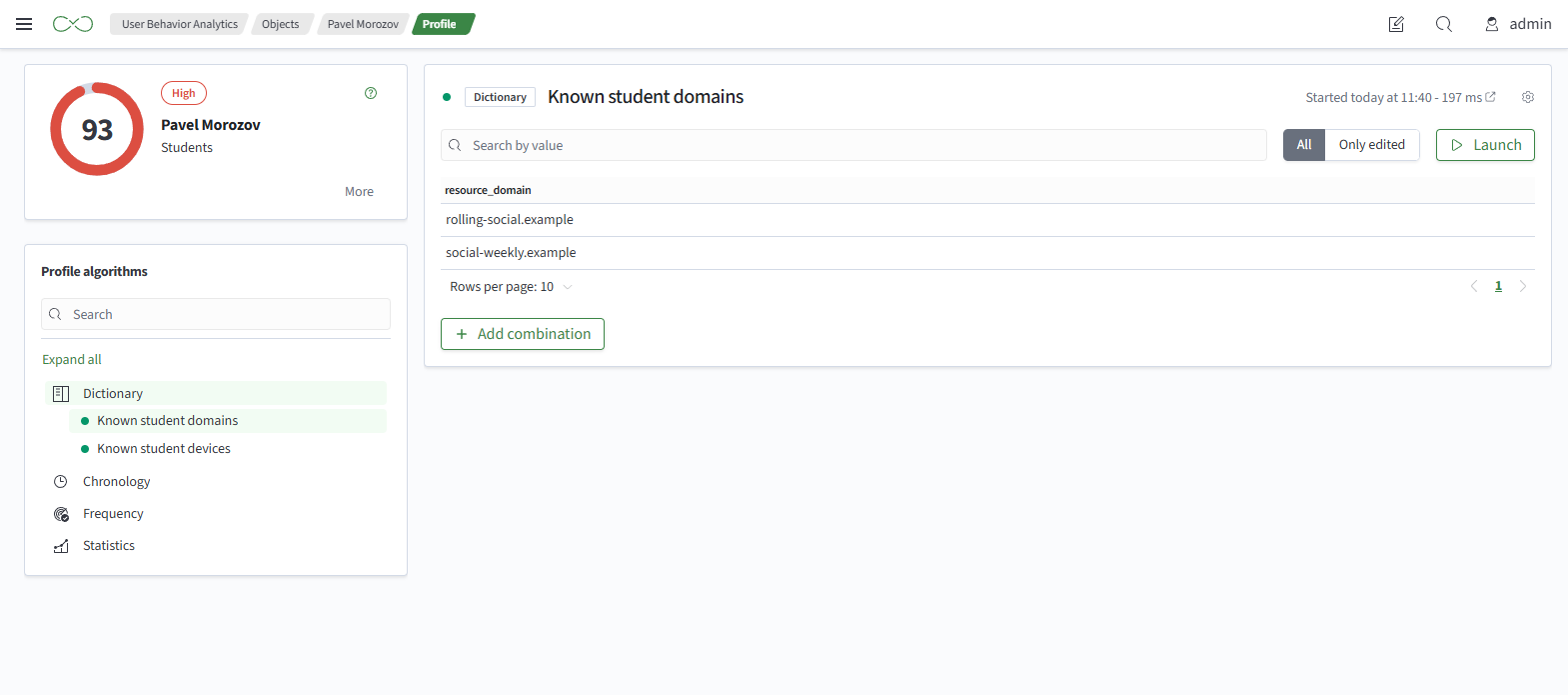
The controls are:
- Search - substring search across columns
- Filter - exact match on dimension values
- All / Changed Only - shows or hides rows with manual adjustments
- Pages - pagination
The row format depends on the algorithm:
- Dictionary - a value combination
- Statistics - baseline metrics, one row per object
- Frequency - baseline metrics for each dimension value
- Timeline - a track for each dimension value
The metrics are described in Execution Results.
Manual Adjustment
Manual adjustment requires permission to write to the policy. An adjustment takes effect immediately, without waiting for a policy run, and persists across subsequent runs. It changes the result for this object only.
| Algorithm | Actions |
|---|---|
Dictionary | edit, delete, and add a combination; revert an adjustment |
Frequency | change metrics for a dimension value, exclude a value, revert |
Statistics | change metrics, exclude, revert |
Timeline | change segment metrics, exclude a segment or an entire track, revert |