Anomaly Detection Rules
A detection rule determines which object alerts become an anomaly. Anomalies appear in the anomaly feed.
To open the rules, select Main Menu - User Behavior Analytics - Anomaly Detection Rules.
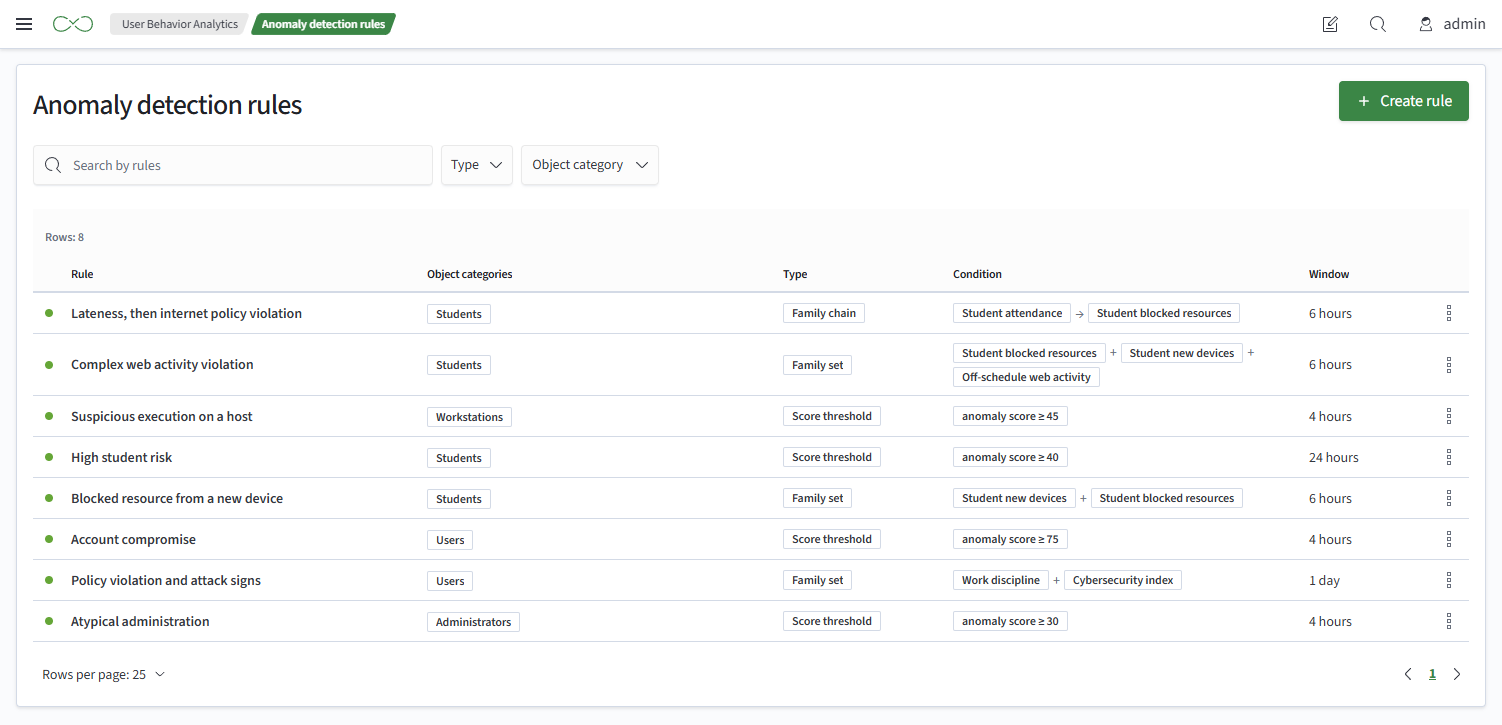
Rule List
The table contains:
- Rule - the rule name
- Object Categories - the categories to which the rule applies
- Type - how the rule groups alerts into an anomaly
- Condition - the threshold or families
- Window - the window length
Creating a Rule
To create a rule:
- Open the anomaly detection rule list
- Click
Create Rule - Fill in
Name. Two rules cannot have the same name - Change the description if necessary; see Description
- Select the rule type; see Rule Types
- Select at least one object category
- Set the condition:
Anomaly Score At Leastfor a score threshold, or rule families for a family set or sequence - Set the window to an integer number of minutes, hours, or days
- Click
Save
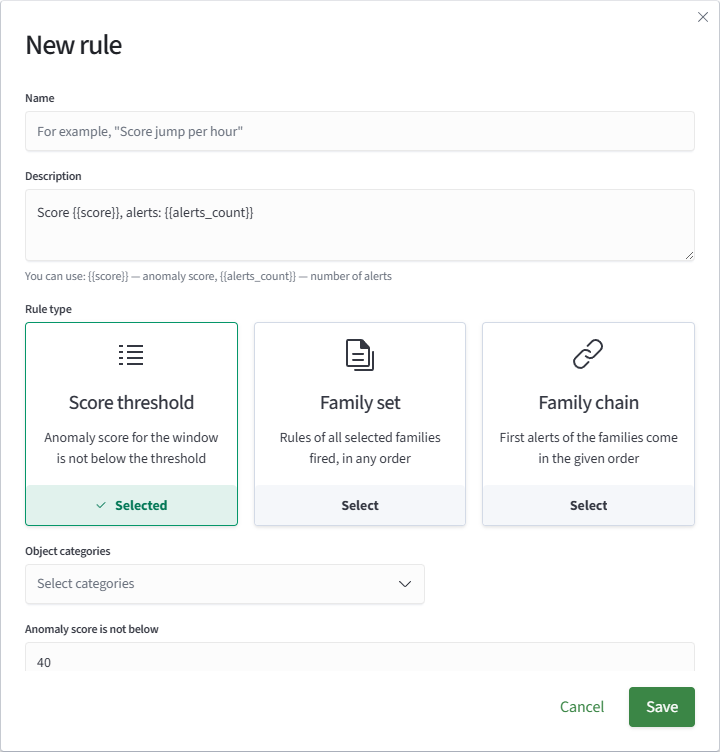
Rule Types
- Score Threshold - the anomaly score within the window is at least a threshold from 0 to 100, for example at least 40 over a day
- Family Set - rules from all selected families trigger within the window, in any order. At least two families are required
- Family Sequence - rules from all selected families trigger within the window, with their first alerts appearing in the specified order. At least two families are required
For the threshold rule, the anomaly score is calculated in the same way as the object score: from the rules that triggered within the window, using the category's severity weights but excluding watchlist effects.
Description
The description is the row text in the anomaly feed. Values that differ between anomalies are set with substitutions:
| Substitution | Value | Rule Type |
|---|---|---|
{{score}} | anomaly score | all |
{{alerts_count}} | number of alerts | all |
{{chain}} | families ordered by their first alert | family sequence |
Thresholds and condition families are entered as text. A substitution unavailable for the rule type prevents the rule from being saved.
When a rule is created or its type changes, the type's template is inserted. An empty description is also replaced with the template:
| Rule Type | Default Template |
|---|---|
| Score Threshold | Score {{score}}, alerts: {{alerts_count}} |
| Family Set | All rule families triggered, alerts: {{alerts_count}} |
| Family Sequence | {{chain}}, score {{score}} |