Layer Editor
Description
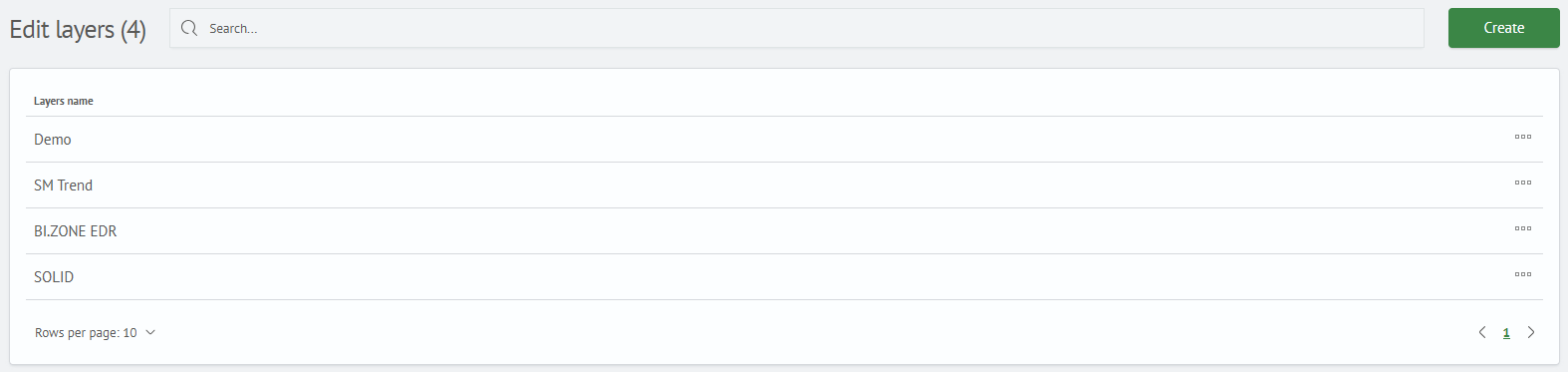
The layer editor is designed for creating and editing layers. A layer is an abstraction representing a set of priority matrices, triggers, and coverage. A layer helps assign data entities to a specific monitoring area, information system, or even a particular node. Layer separation allows for a more detailed examination of threat cases depending on the area or information system in which they occurred.
Layer Operation Principle
The diagram below shows how an attack technique gets into the layer and how the layer is related to the infrastructure zone:
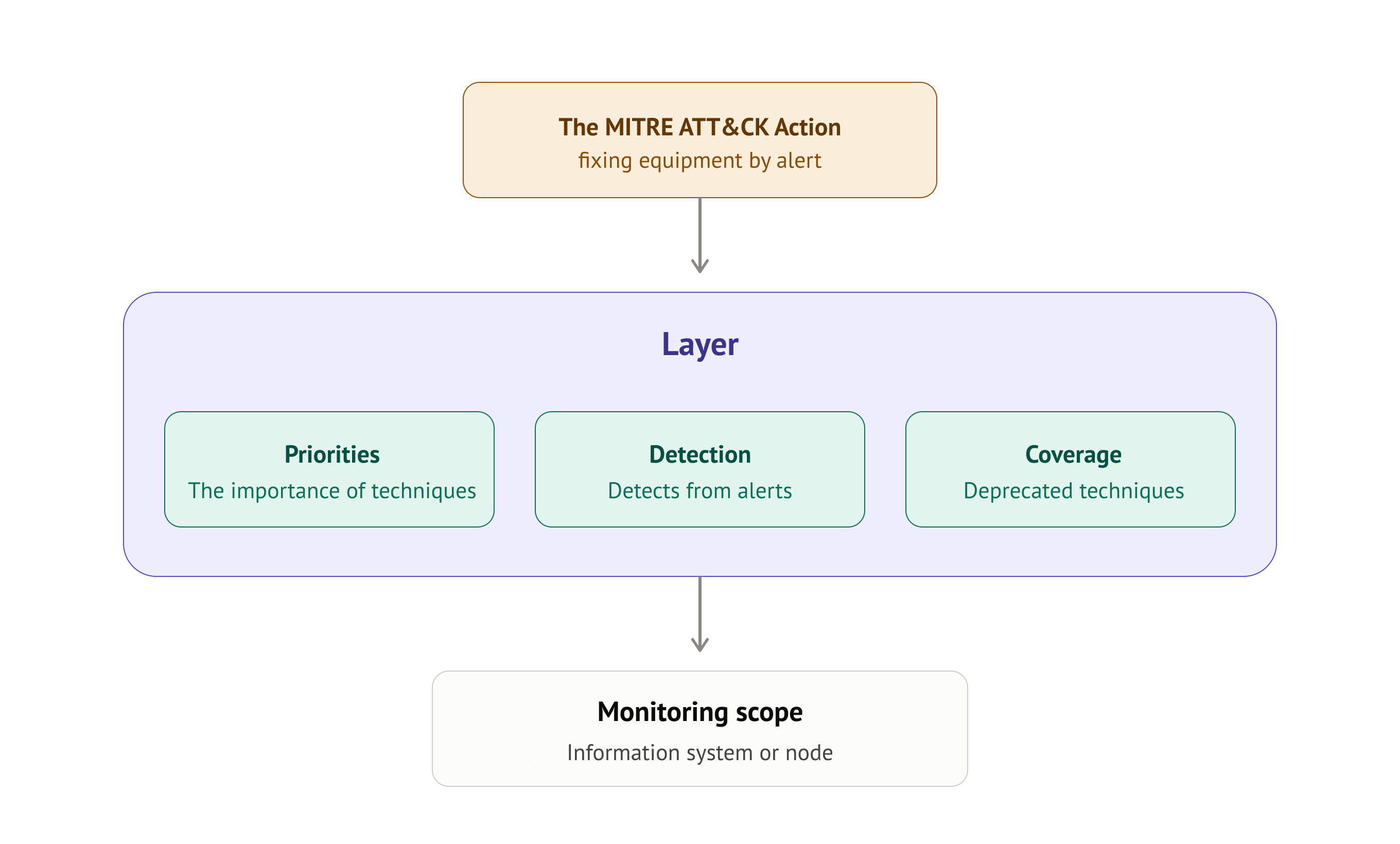
MITRE ATT&CK Action — the starting point of the process. When a correlation rule triggers in Smart Monitor and an alert appears, the rule settings may specify an MITRE ATT&CK action, which defines the technique and layer to which this event belongs. The technique is recorded in the layer only through this action when the alert is triggered. More details in the section Setting up layer and attack technique connection.
Layer — the key abstraction of the module. This is not a single table, but a container that contains three matrices, each answering its own question:
- Priority Matrix — how important each technique is specifically for this layer. Priority is set manually: for example, brute force may have a high priority for the perimeter, but a low priority for the internal segment
- Detection Matrix — what is actually detected. Techniques from alerts get here through the
MITRE ATT&CK/Risk Actionaction. This is the current picture of what attacks the system is recording at the moment - Coverage Matrix — which techniques are covered by correlation rules. Allows identifying protection gaps: if a technique has a high priority but is not covered by any rule, this indicates insufficient protection against this technique
Monitoring Area — each layer is linked to a specific part of the infrastructure: information system, network segment, or individual node. Therefore, there can be many layers — separate ones for AD domain, separate for web perimeter, separate for SCADA. The same technique in different layers may have different priority and coverage, since threats for different infrastructure zones are different.
In all three matrices, the layer is selected as a filter in the control panel (parameter Layer), so the necessary layers must be pre-created in the Layer Editor before starting work with the matrices.
The same attack technique can simultaneously belong to multiple layers — priority, triggers, and coverage for it will be accounted for separately within each layer.
Creating a Layer
To create a layer, follow these steps:
- Select the
Layer Editor(Main Menu-MITRE ATT&CK-Layer Editor) - In the
Layer Editorinterface, click theCreatebutton - In the modal window, enter the layer name and click the
Addbutton

To create multiple layers, repeat the specified sequence of actions (Steps 1-3).
Editing a Layer
To edit a layer, click the three-dot icon in its row and select Edit from the menu. A modal window with the layer editing form will open. After making changes, click the Edit button.

Deleting a Layer
To delete a layer, click the corresponding button. To confirm the action, click the Delete button. In the dialog box that opens, confirm the layer deletion by clicking the Yes, do it button.
Permission Settings
To configure access permissions for a layer, follow these steps:
- In the row of the desired item, click the "kebab" menu (three-dot icon)
- From the dropdown list, select the
Permissionsoption - In the permission management interface that opens in a modal window, assign the required permissions for the roles existing in the system

Configuring the Link Between a Layer and an Attack Technique
Binding an attack technique to a layer occurs when configuring the MITRE ATT&CK action. You can learn more in the corresponding section Recording MITRE ATTACK Techniques.