Firings
The correlator maintains a rule firing log and summary statistics for each rule.
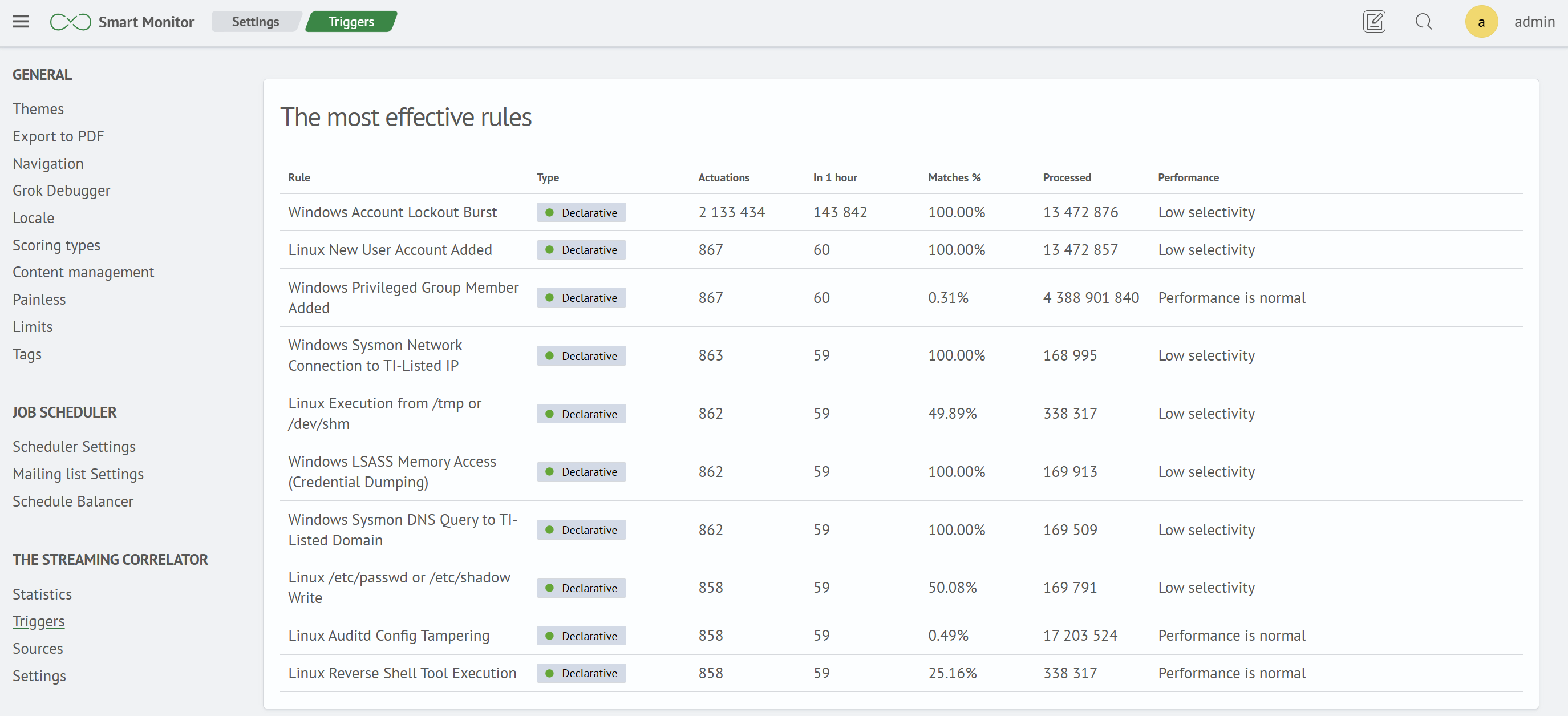
Top Firing Rules
The table displays summary statistics for each rule:
| Column | Description |
|---|---|
Rule | Rule name |
Type | Rule type: Declarative, Imperative, or Aggregation |
Firings | Total number of rule firings |
Last Hour | Number of firings during the last hour |
Matches % | Percentage of processed events that matched the rule condition |
Processed | Total number of events evaluated against the rule |
Performance | Evaluation of rule condition efficiency |
Rule Firings
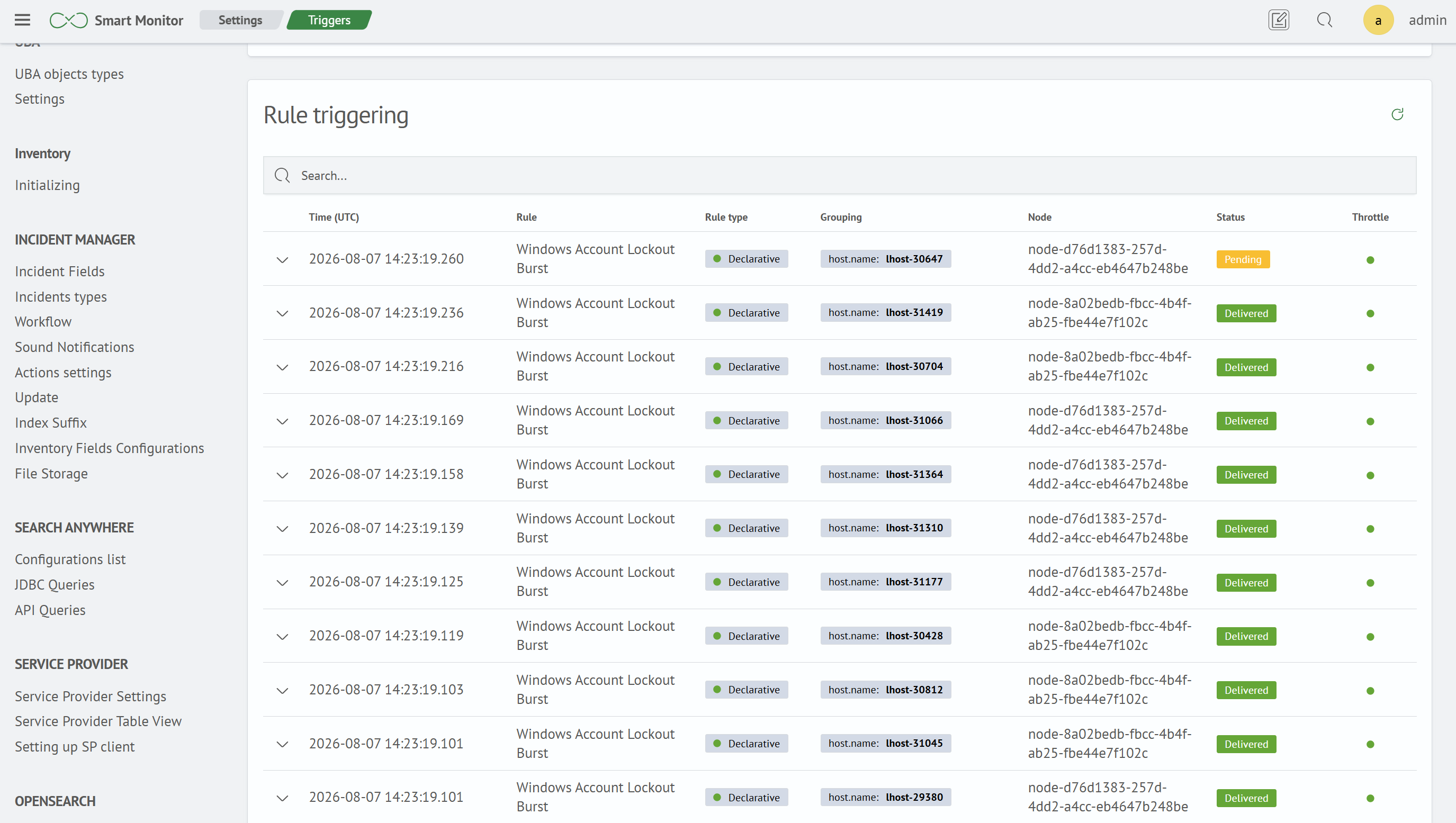
The table lists individual firings and provides search controls:
| Column | Description |
|---|---|
Time (UTC) | Time of the firing |
Rule | Name of the rule that fired |
Rule Type | Declarative, Imperative, or Aggregation |
Group Key | Value used by the rule to group events, for example, host.name |
Node | Cluster node on which the firing was generated |
Status | Firing delivery result. See Delivery |
Suppression | Indicates an active window that suppresses repeated firings for this rule and group key |
Firing Document
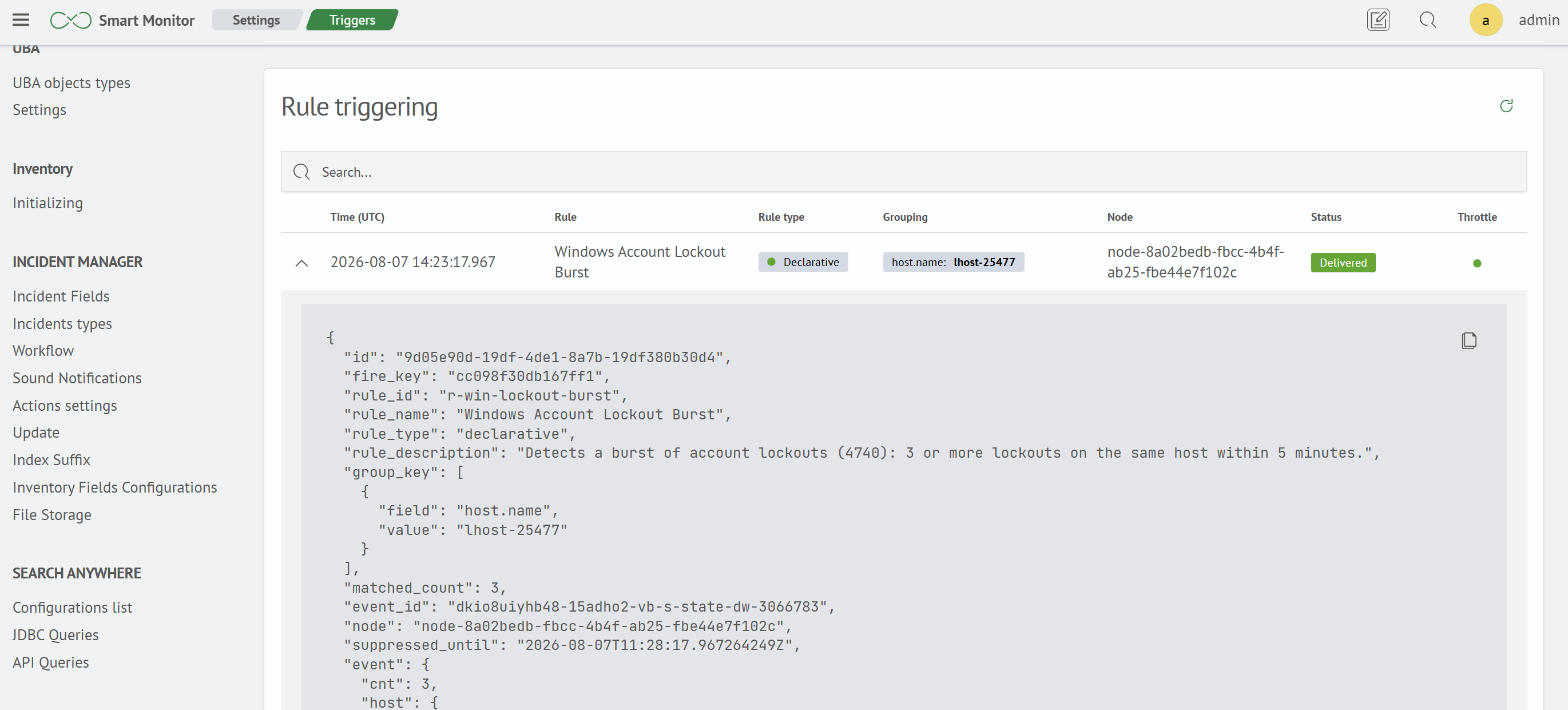
Expand a list row to view the complete firing document:
| Field | Description |
|---|---|
id | Firing identifier |
fire_key | Firing deduplication key that remains stable after a restart |
rule_id | Rule identifier |
rule_name | Rule name |
rule_type | Rule type |
rule_description | Rule description |
group_key | Key of the group for which the rule fired |
matched_count | Number of events included in the firing |
event_id | Identifier of the event that caused the firing |
node | Node that generated the firing |
suppressed_until | End time of the window that suppresses repeated firings for this rule and group key |
event | Source event that caused the firing. For multi-stage rules, contains the events from each stage |
Delivery
Each firing is sent to Smart Monitor Job Scheduler and processed by the configured active actions. The Status column shows the delivery result. If a temporary error occurs, delivery is retried automatically with an increasing delay. If all attempts are exhausted, the firing is marked as undelivered and the error cause is recorded in the firing log.
The firing retention period is controlled by the retention.fires cluster setting (default: 30d). See Cluster Settings.