Streaming Jobs
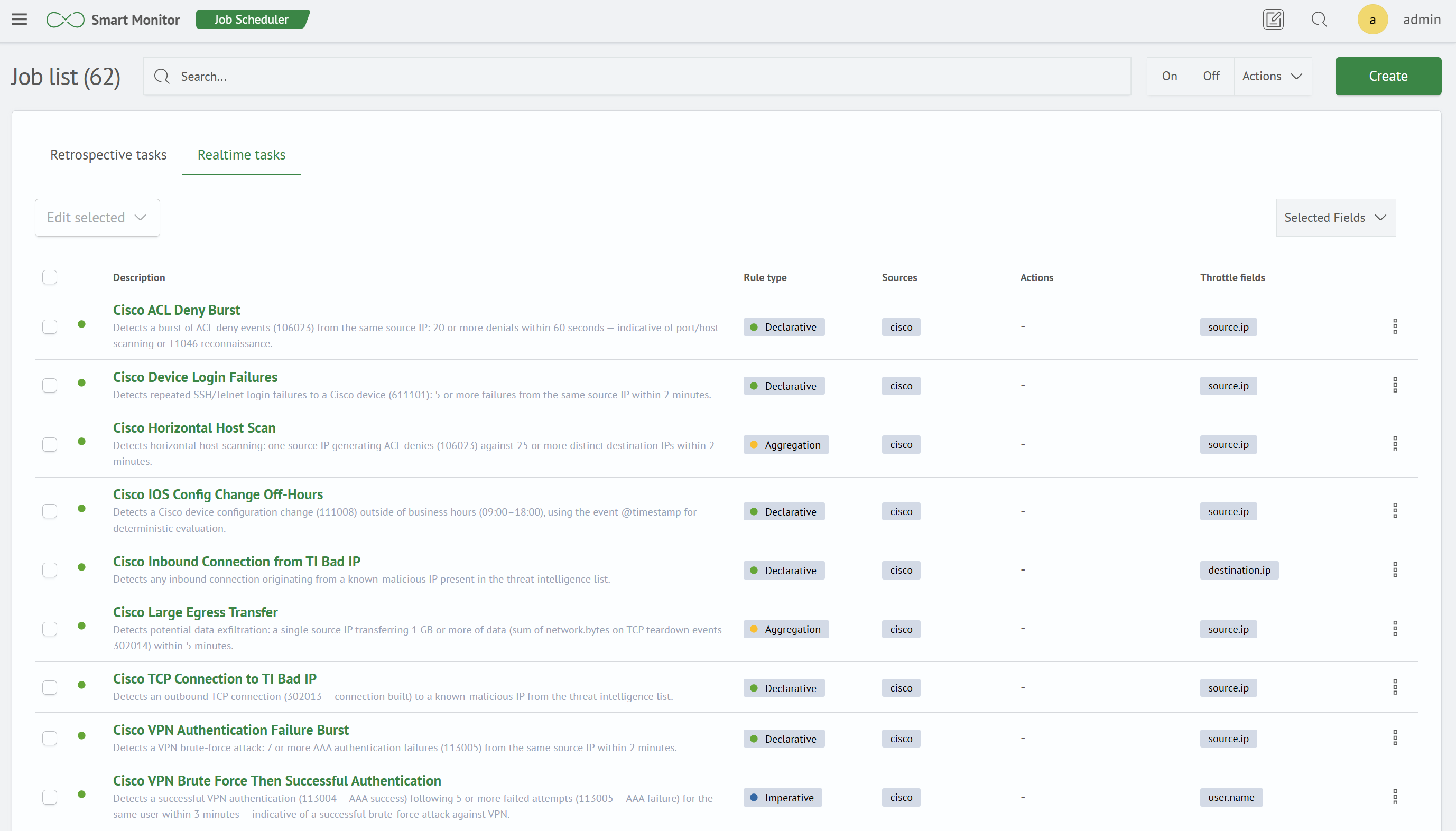
Three Rule Types
The rule type determines how the correlator evaluates a condition and generates a firing. The type is selected when the rule is created and cannot be changed later.
| Type | When to Use |
|---|---|
Declarative | A single condition is evaluated for every event, and the number of matches within a window is counted |
Imperative | A sequence of events or confirmation that an expected event does not occur is required |
Aggregation | A threshold is evaluated against an aggregate value within a window, such as a sum or distinct count |
Rule Editor
The rule editor contains two tabs: Main and Active Actions. The Main tab includes the General and Sources and Fields sections, which are the same for all rule types, and the Correlation section, whose contents depend on the rule type. The Firing Format section is available only for declarative rules. The contents of Correlation and the availability of Firing Format are described in the articles for each rule type.
General
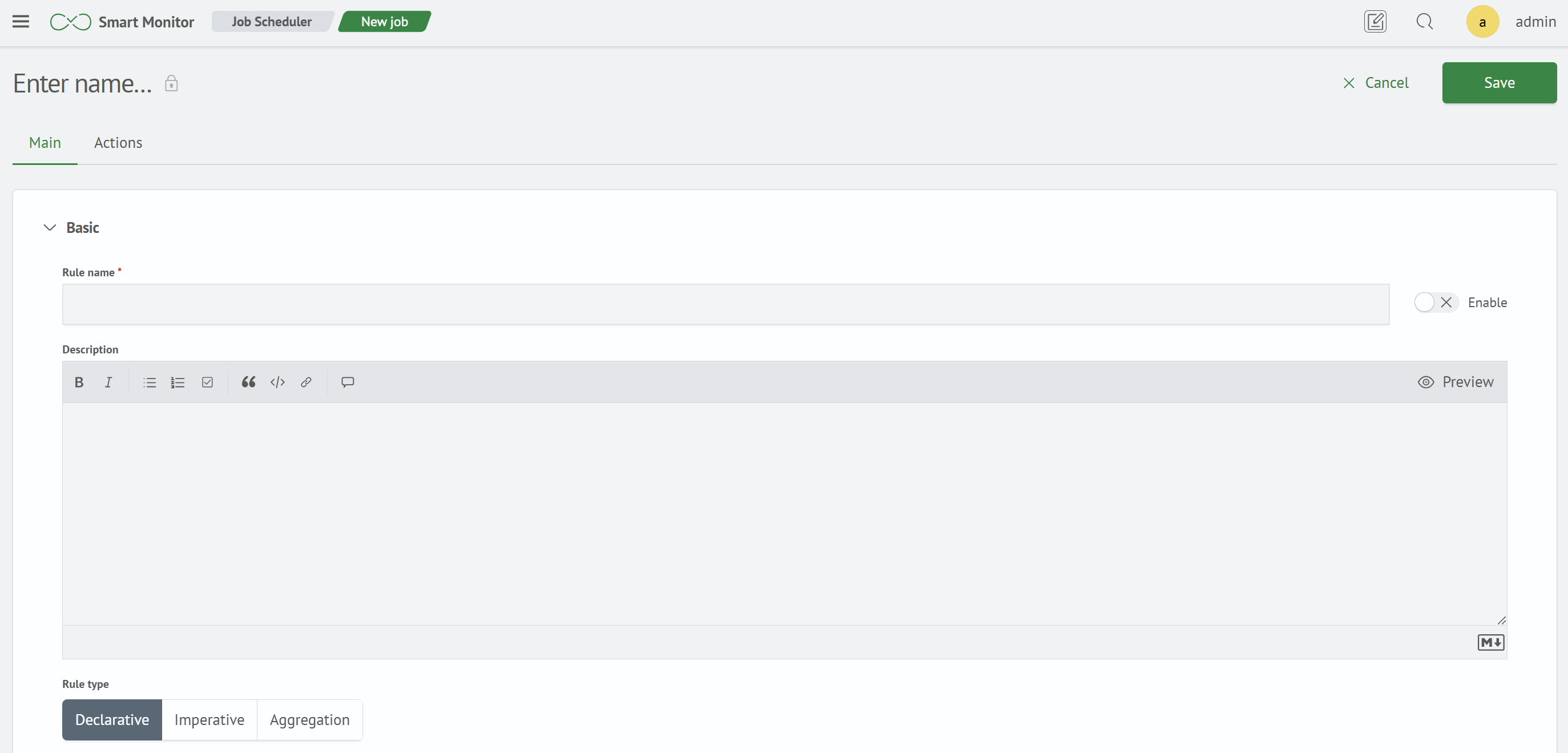
The General section is the same for all rule types and contains:
Rule Name- required fieldEnabletoggleDescription- an editor with markup support and aPreviewbuttonRule Type- a segmented control with three values:Declarative,Imperative, andAggregation
Sources and Fields
The Sources and Fields section is also the same for all rule types.
Sources specifies the data sources whose events are passed to the rule.
Field Mapping is a table of logical field names that work consistently across sources with different event schemas. The Field button adds a row containing a required Field Name and one column for each selected source. Each cell specifies the physical field name in that source's events. The logical name defined by the mapping can be used in conditions, stages, metrics, grouping fields, and the timestamp field. If a mapping row does not contain a value for a source or the specified field is missing from the event, the event's physical field with the same name is used. A mapping overrides a physical field but does not hide it. The exception is the Firing Condition of an aggregation rule: it operates in the metric namespace, so field mapping does not apply to it.
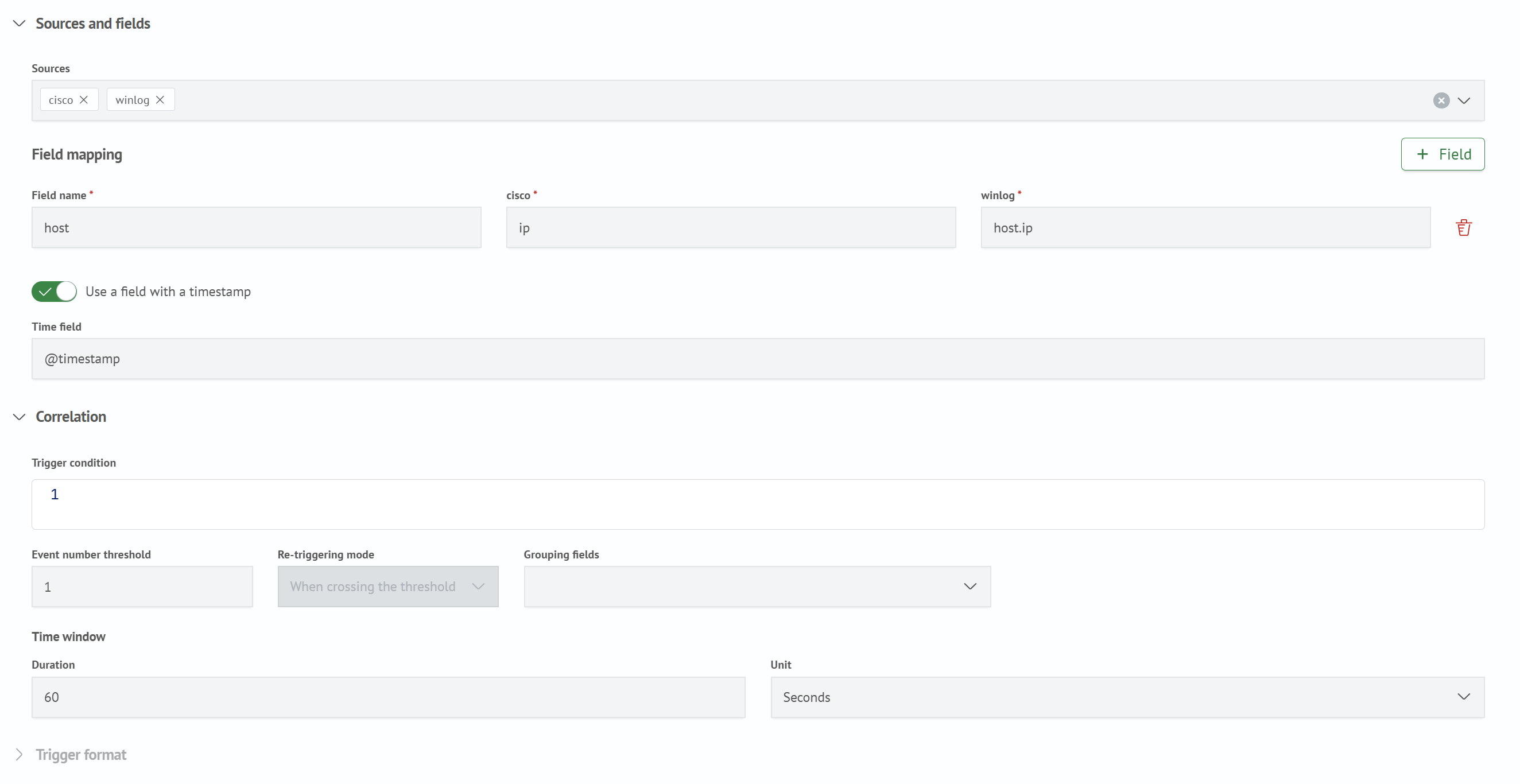
The Use Timestamp Field toggle displays the Timestamp Field field. Rule windows and timers are calculated using the time from the specified event field. If the toggle is disabled, the time when the correlator receives the event is used.
Declarative Rules
Configuring a declarative correlator rule: firing condition, threshold, refire mode, suppression, and firing format metrics.
Aggregation Rules
Configuring an aggregation correlator rule: pre-filtering, window metrics, and a firing condition based on an aggregate value.
Imperative Rules
Configuring an imperative correlator rule: a chain of Event and Absence stages, retaining context between stages, and the firing condition.