Job Scheduler
Overview
In Job Scheduler, active actions run on search job results.
In addition to built-in Job Scheduler actions (Incident Action, Email Sending, and others), you can add script-based user actions to a job. They are configured in the same way as built-in actions, and their input parameters can be populated from search result fields.
For more information about jobs, see Job Scheduler.
Configuring User Action Parameters
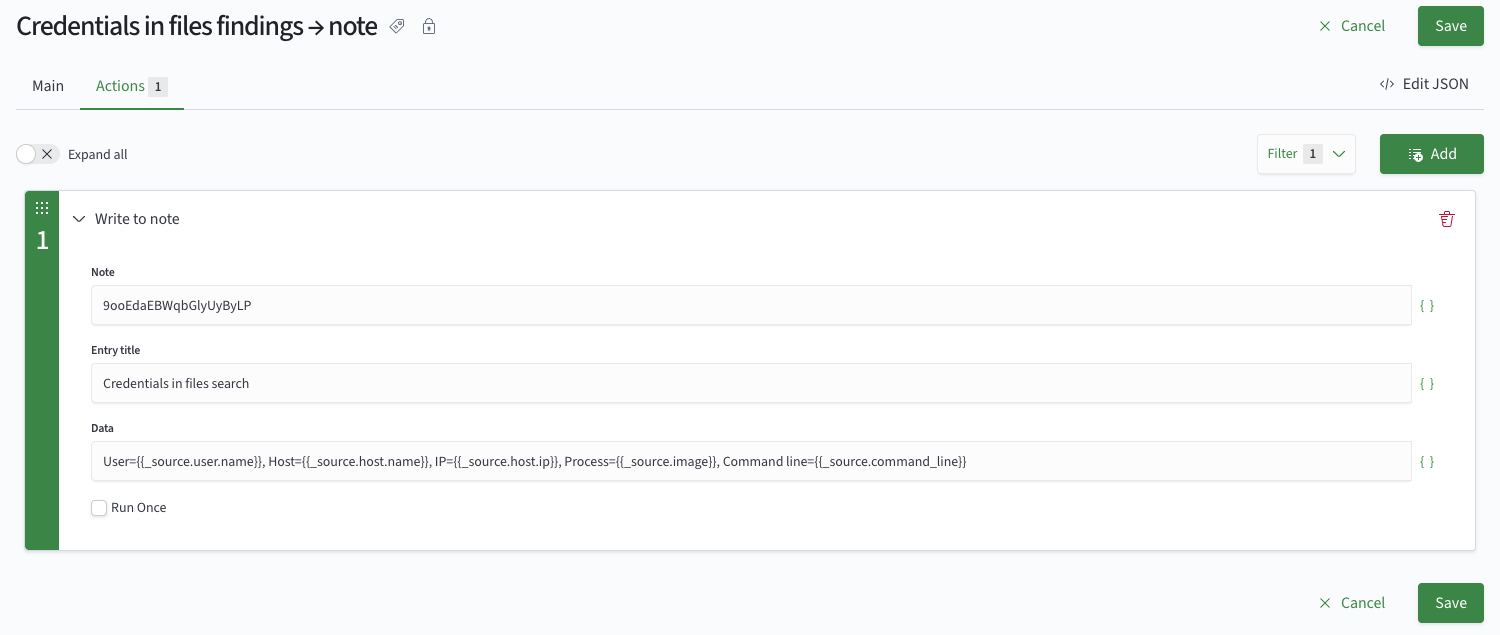
The user action card shows fields with the labels, types, and default values configured in the action card.
You can use tokens in each field. For example, {{_source.user.name}}.
Run Mode
By default, a user action runs once for each row in the search result.
When the Run Once checkbox is selected, the action runs once for the entire search result.
The run mode determines what is passed to the script as the call context: ctx.element for a run on each row, or ctx.set for a single run on the entire result. See Call Context for details.
User actions are also available in the action filter on the Job Scheduler Jobs List page.