Installing Configurations
The first stage is intended to automate the deployment and configuration of dependent objects for the Smart Code module. Configuration is performed using the make_smart_code.py utility. The utility is provided in the smart_code_ko_maker package and located in the bin directory. The utility performs the following tasks:
- Deployment of knowledge objects (
Smart Monitorentities) - Creation of index templates
- Creation of index patterns
- Loading interface types from a CSV file
Requirements
- Python 3.12 or higher
- Utility dependencies are installed by the
bin/install_dependencies.shscript, which creates.venvand installs thesmpyandhttpxlibraries - Access to the
Smart Monitorcluster with administrator credentials
Utility Structure
The script contains the following directory structure:
./
├── data/                                             # Main directory with configurations
│   ├── sm_*/                                         # Directories with `Smart Monitor` entities (starting with sm_)
│   ├── index_templates/                              # Index templates
│   ├── index_patterns/                               # Index patterns
└── lookups/
    └── dim_continent_interface_iftype.csv            # CSV file with interface types for Continent family equipment
File Formats
Smart Monitorentities (insm_*directories): JSON files with metadata in the_metafield and a unique identifier- Index templates (
index_templates):{"name": "template_name","index_template": {// template configuration}} - Index patterns (
index_patterns):{"attributes": {"title": "pattern_name"},"references": []} - Interface types (
dim_continent_interface_iftype.csv): Current list of interface types for equipment from theContinentfamily
Installation Sequence
1. Install Utility Dependencies
./bin/install_dependencies.sh
The script creates the .venv virtual environment and installs utility dependencies, including the smpy and httpx libraries.
2. Run Configuration Installation
Installation is performed by running the make_smart_code.py utility:
./bin/make_smart_code.py \
  --sm_host <SMART_MONITOR_HOST> \
  --sm_api_port <SMART_MONITOR_API_PORT> \
  --sm_cluster_port <OPENSEARCH_PORT> \
  --sm_user <SMART_MONITOR_USER> \
  --sm_password '<SMART_MONITOR_PASSWORD>'
Command-line parameters:
| Parameter | Required | Type | Default | Description |
|---|---|---|---|---|
--sm_host | Yes | str | - | Smart Monitor host (one of the cluster nodes) |
--sm_api_port | No | int | 5601 | Frontend API port (saved objects) |
--sm_cluster_port | No | int | 9200 | OpenSearch API port (index templates, lookups) |
--sm_user | Yes | str | - | Username |
--sm_password | Yes | str | - | User password |
Example execution:
./bin/make_smart_code.py --sm_host open-search-host-1.my_company.ru --sm_api_port 5601 --sm_cluster_port 9200 --sm_user admin --sm_password securepassword
--sm_api_port is used for the frontend API and saved objects (index patterns). --sm_cluster_port is used for the OpenSearch API, through which index templates and lookups are uploaded.
If the frontend API and OpenSearch are published on different servers, you can explicitly set --sm_api_host and --sm_cluster_host.
3. Checking Configuration Application
-
In the
Templatessection: (Main Menu-System Settings-Index Management-Templates) the module templates are displayed:

-
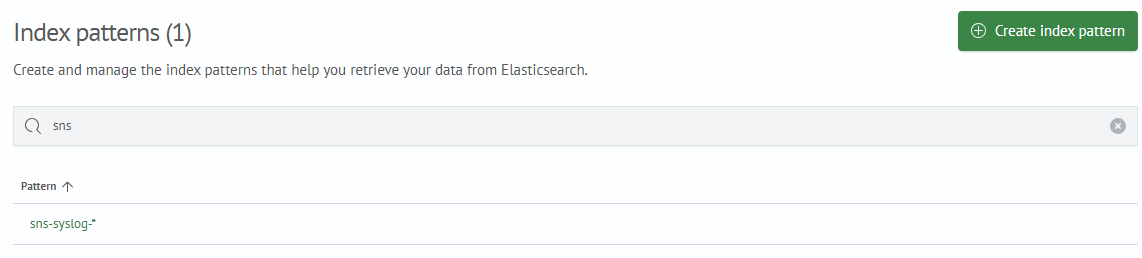
In the
Index Patternssection: (Main Menu-System Settings-Module Settings-OPENSEARCH-Index Patterns) the module index patterns are displayed:
-
In the
Lookup List: (Main Menu-Lookup Manager-Lookup List) the module lookups are displayed:
-
The
dim_continent_interface_iftypelookup contains a list of interface types for equipment from theContinentfamily
4. Register the Module Incident Type
After importing the Smart Code content module, run the apply_incident_types.py script from the same smart_code_ko_maker utility. The script registers incident card fields (investigation playbook), idempotently creates the Security Incident incident type, and then assigns it to the module jobs.
./bin/apply_incident_types.py \
  --sm_host <SMART_MONITOR_HOST> \
  --sm_api_port <SMART_MONITOR_API_PORT> \
  --sm_user <SMART_MONITOR_USER> \
  --sm_password '<SMART_MONITOR_PASSWORD>'
After execution, verify that:
- the
Security Incidentincident type appears inMain Menu-Incident Manager-Incident Types - the type is available in the
Incident Typedropdown list in the job editor - incident jobs of the
Smart Codemodule received this type - the incident card displays the playbook fields