Configuration Installation and Setup
The make_apm.py script is used for automated deployment of infrastructure objects for the APM module.
It is included in the apm_ko_maker package and located in the bin directory.
Utility Core Functions
- deployment of knowledge objects (
Smart Monitorentities) - index template creation
- index creation
- deployment of index state management policies (ISM)
Requirements
- Python 3.x
- installed dependencies:
requestsurllib3
- access to
Smart Monitorcluster with admin privileges
Project Structure
./
├── bin/                   # Installation and deployment scripts
├── data/                  # Configuration files
│   ├── core/              # Asset Service Model (ASM) layers
│   ├── index-patterns/    # Index patterns
│   ├── indexes/           # Index configurations
│   ├── inv/               # Inventory settings
│   ├── sm_*/              # Smart Monitor entities
│   ├── index_templates/   # Index templates
│   └── ism_policies/      # ISM policies
├── templates/             # ASM metric templates
Configuration File Formats
warning
Configurations in indexes and ism_policies directories are for demonstration purposes only. Before production deployment, adapt them to meet your data storage and rotation requirements.
Smart Monitor Entities (sm_*)
{
  "_meta": {
	  // metadata
  },
  // configuration
}
Index Templates (index_templates)
{
  "name": "template_name",
  "index_template": {
    // template configuration
  }
}
Indexes (indexes)
{
  "имя_индекса": {
    // index configuration
  }
}
ISM Policies (ism_policies)
{
  "policy": {
    "policy_id": "otel-apm-ism-policy",
    // configuration
  }
}
ASM Layers (core/rsm/layers)
{
  "title": "layer_name",
  "description": "layer_description"
}
Index Patterns (index-patterns)
{
  "attributes": {
    "title": "pattern_name"
  },
  "references": []
}
Inventory (inv)
inv/inventories— asset configurationsinv/relationSettings— asset relationships
Installation Sequence
Step 1. Launch Configuration Installation
python make_apm.py --sm_host <host> --sm_user <user> --sm_password <password> [--sm_port <port>]
| Parameter | Required | Type | Default | Description |
|---|---|---|---|---|
--sm_host | Yes | string | — | Smart Monitor cluster host |
--sm_port | No | int | 9200 | Connection port |
--sm_user | Yes | string | — | Username |
--sm_password | Yes | string | — | Password |
Example:
python make_apm.py --sm_host sm-host.my_company.ru --sm_user admin --sm_password securepassword --sm_port 9200
Step 2. Verify Results in Interface
After execution, verify the applied configurations:
-
Index Templates
- in the
Templates section: (Main Menu-Settings-Index Management-Templates) 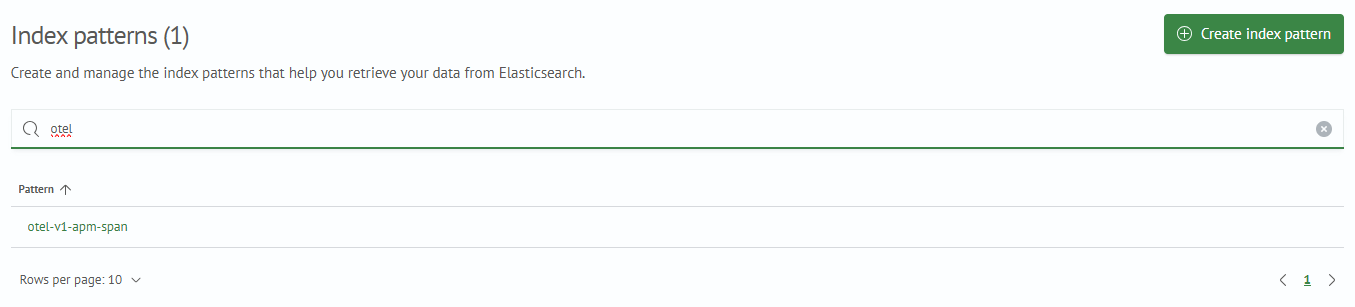
- in the
-
Index Patterns
- in the
Index Patternssection: (Main Menu-Settings-Module Settings-OPENSEARCH-Index Patterns) 
- in the
-
Lookups
- in the
Lookup Listsection: (Main Menu-Lookup Manager-Lookup List) - the following must be present:
dim_apm_servicelink_apm_source_service_dest_service
- in the