Configuring Queries for the api Command
The api command supports using preconfigured queries. Their names are passed to the command through the query parameter.
To create or edit a query, navigate to:
Main Menu - Settings - Module Settings - API Queries:

To create a new query, click Create API Query in the top-right corner.
To edit a query, select it from the list.
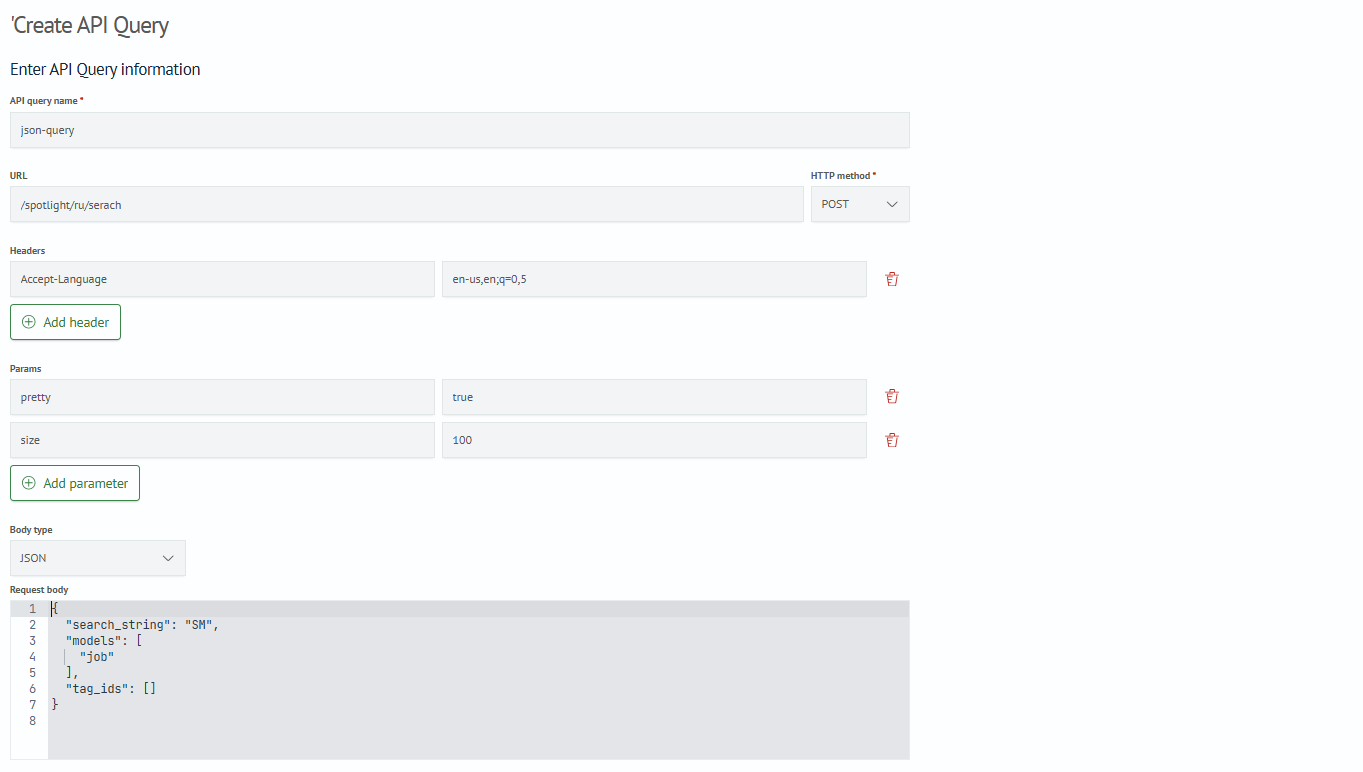
The following is an example of a completed API query configuration named json_query:
info
The Request URL value can contain either a complete or a relative URL. If the URL is relative, the host name is taken from the connection settings for the api command, and the path from query is appended to it.
Click Save. The query can then be used in the api command.
Command Execution Example
api connection=json-connection query=json-query