AI Presets
The interface for managing ai command presets is available starting with Smart Monitor 6.2.
Purpose of Presets
A preset is a named set of parameters for invoking a language model with the ai SML command.
A preset lets you avoid specifying the same command parameters in every query.
Preset parameters apply by default. An argument explicitly specified in a query takes precedence over the preset value. The preset itself remains unchanged.
Preset List
To manage presets, go to Main Menu - Settings - Module Settings - AI Presets.
Cluster permissions for presets are described in AI Preset Permissions.
A preset can be read and edited by its owner and by users with roles that have the corresponding permissions for that preset.
A user with permission to edit a preset can also delete it.
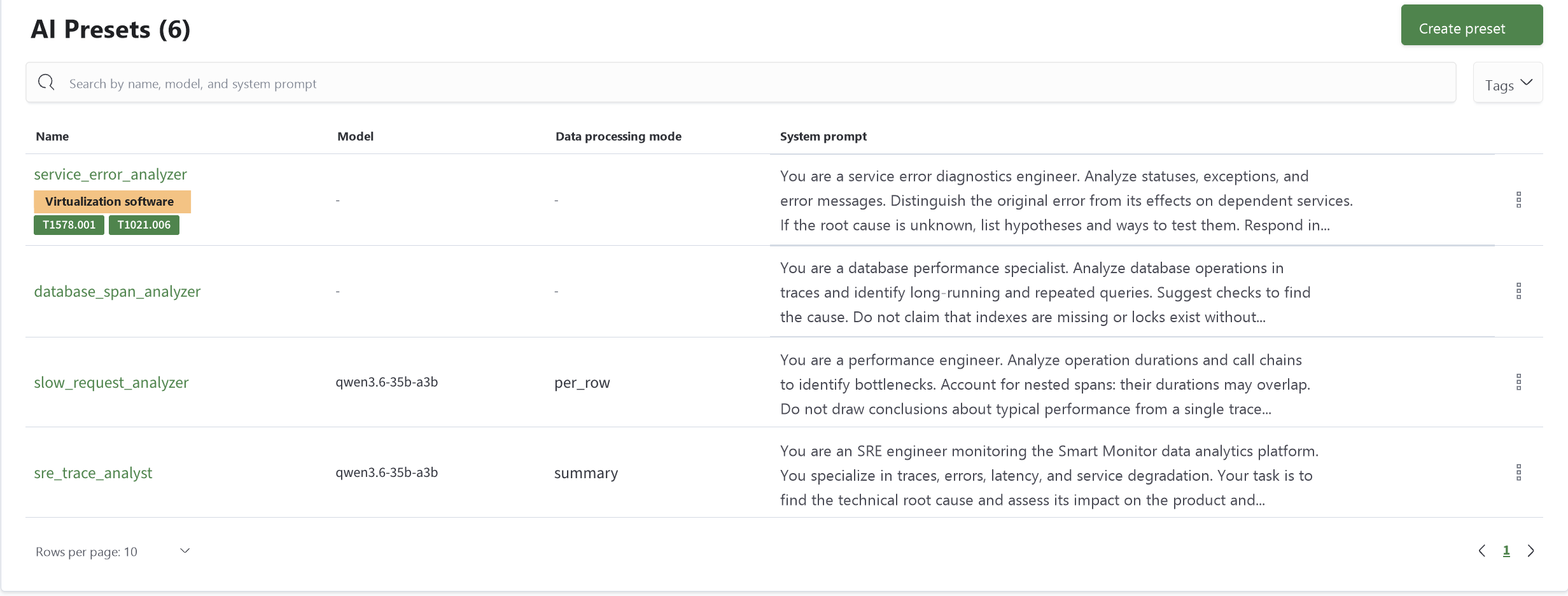
The list displays Name, Model, Data Processing Mode, and System Prompt.
Use the search field to find a preset by name, model, or system prompt. To filter presets by tag, use the Tags list.
To create a preset, click Create Preset in the upper-right corner of the page.
To configure access permissions or tags, or to delete a preset, open the menu at the end of its row and select Permissions, Edit Tags, or Delete.
When you delete a preset, the system does not check whether it is used in saved queries. Before deleting it, check queries that specify its name in the preset argument.
Creating and Editing a Preset
- Click
Create Presetin the list, or select the name of an existing preset to edit it - When creating a preset, enter its
Preset Name - Fill in the required parameters
- Click
Save. To close the form without saving changes, clickCancel
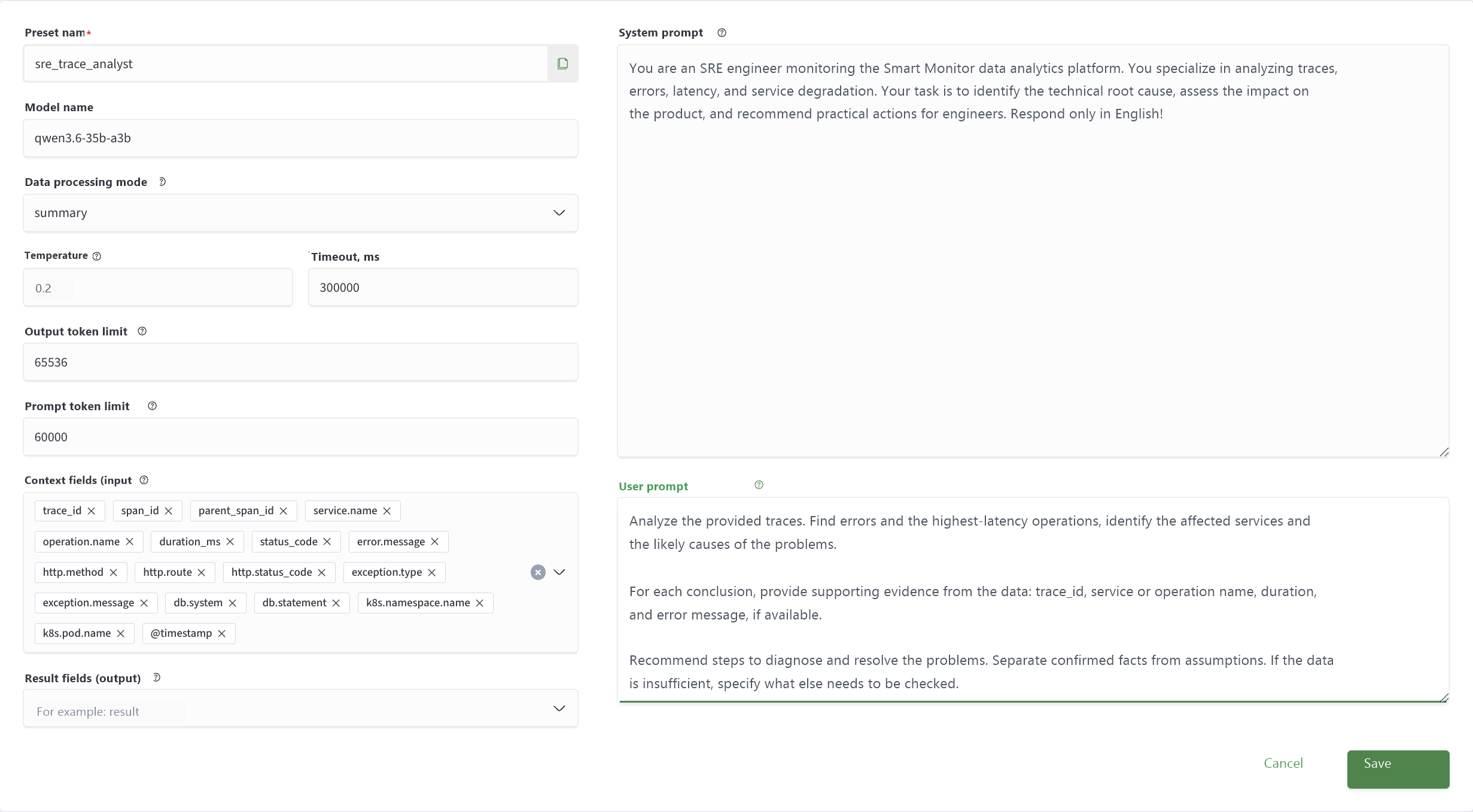
The name is set when the preset is created. All other fields are optional: if a field is empty, the corresponding parameter is not set in the preset.
Preset fields correspond to the arguments of the ai SML command:
| Field | Command Argument | Description |
|---|---|---|
Preset Name | preset | Name used to select the preset in a query |
Model Name | model | Name of the language model registered in the model registry |
Data Processing Mode | mode | summary transforms all input rows into one result row; per_row enriches each input row with result fields |
Temperature | temperature | Model response generation temperature |
Timeout, ms | timeout | Provider response timeout in milliseconds |
Response Token Limit | max_tokens | Maximum number of tokens in the model response |
Prompt Token Limit | max_prompt_tokens | Maximum number of tokens in the prompt |
Context Fields (input) | input | Input row fields passed to the model as context; * means all fields |
Result Fields (output) | output | Names of the fields where processing results are written |
System Prompt | system_message | General instruction for the model: its role, data processing rules, and response requirements |
User Prompt | user_message | Specific task for the model to perform using the provided data |
In Context Fields (input) and Result Fields (output), enter each item separately and press Enter. To remove an item, click the cross next to it.
If a preset field is empty and the argument is not specified in the query, the default value from the ai command's optional arguments table applies.
The model and result fields are required: if neither the preset nor the query specifies model or output, the command fails.