Zabbix: Installation and Configuration Setup
Overview
The Zabbix utility is used to deploy the infrastructure objects of the make_zabbix.py module. It is part of the zabbix_ko_maker package, located in the bin directory.
Utility Purpose
- deployment of basic
Smart Monitorentities required for the module to function - creation of indexes
- creation of index templates
- creation of index patterns
- creation of index state management policies (hereafter ISM policies)
Requirements
- Python 3.x
- installed dependencies:
requestsurllib3
- access to the
Smart Monitorcluster with administrator privileges
Project Structure
./
├── bin/                   # Installation and deployment scripts
├── core/                  # Asset Service Model (hereafter ASM) layers
├── data/                  # Configuration files
│   ├── indexes/           # Index configurations
│   ├── index_templates/   # Index templates
│   ├── index-patterns/    # Index patterns
│   ├── ism_polices/       # ISM policies
│   ├── sm_*/              # Smart Monitor entities
│   └── inv/               # Inventory settings
├── lookup_csv/            # List of rules for incident creation
├── templates/             # ASM metric templates
├── update_zabbix_rsm/     # Script for automatic ASM service updates
└── macroses.json          # Installation macros
Configuration File Formats
Smart Monitor Entities (sm_*)
{
  "_meta": {
	  // metadata
  },
  // configuration
}
Index Templates (index_templates)
{
  "name": "zabbix_hosts_template",
  "index_template": {
    // template configuration
  }
}
Indexes (indexes)
{
  "zabbix_hosts": {
    // index configuration
  }
}
ISM Policies (ism_policies)
{
  "policy": {
    "policy_id": "zabbix-policy",
    // configuration
  }
}
RSM Layers (core/rsm/layers)
{
  "title": "Zabbix: metrics",
  "description": "layer description"
}
Index patterns (index-patterns)
{
  "attributes": {
    "title": "zabbix_hosts-*"
  },
  "references": []
}
Inventory (inv)
inv/inventories— asset configurationsinv/relationSettings— relationships between assets
Installation Sequence
Step 1. Smart Monitor Data Collector Integration
Before starting the installation, ensure Zabbix integration with Smart Monitor Data Collector is completed. At this stage, all necessary pipelines should be configured, and the ZABBIX_API_TOKEN API token and logstash user password should be added to the keystore.
Step 2. Launch Configuration Installation
python make_zabbix.py --sm_host <host> --sm_user <user> --sm_password <password> [--sm_port <port>]
| Parameter | Mandatory | Type | Default | Description |
|---|---|---|---|---|
--sm_host | Yes | string | — | Smart Monitor cluster host |
--sm_port | No | int | 9200 | Connection port |
--sm_user | Yes | string | — | Username |
--sm_password | Yes | string | — | User password |
Example:
python make_zabbix.py --sm_host sm-host.my_company.ru --sm_user admin --sm_password securepassword --sm_port 9200
Step 3. Start the Logstash Service
After successful configuration deployment, start the Logstash service:
sudo systemctl start logstash && sudo systemctl status logstash
or, if the service is already running:
sudo systemctl restart logstash && sudo systemctl status logstash
Step 4. Check the result in the interface
After launching, check that the settings have been applied:
- Index templates
- In the
Templatessection: (Main Menu-Settings-Index Management-Templates)
- Index patterns
- In the
Index patternssection: (Main Menu-Settings-Module Settings-OPENSEARCH-Index patterns)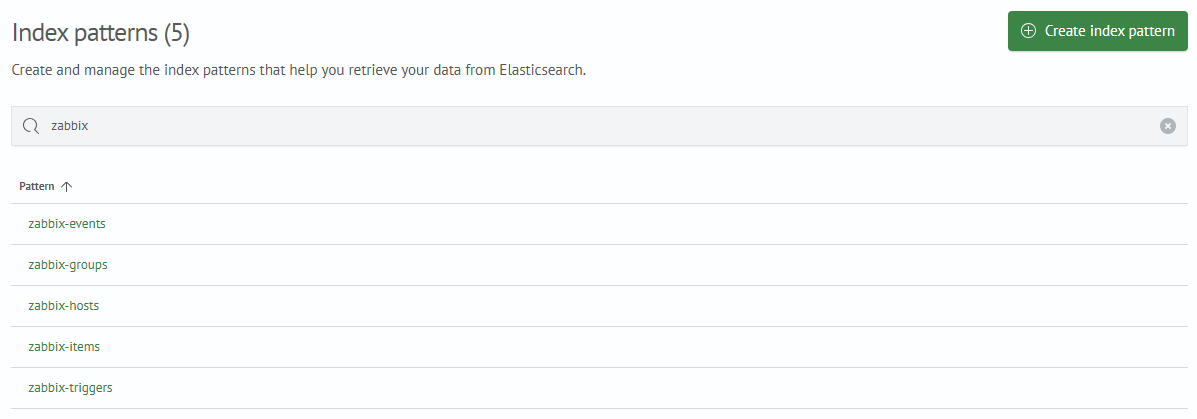
- Lookups
- In the
Lookup listsection: (Main Menu-Lookup Manager-Lookup list)