Deleting Objects
Objects can be deleted in three ways:
- Single object deletion
- Selecting multiple objects and deleting selected objects
- Deleting all objects of a selected type
Single Object Deletion
Single deletion removes one specific object.
To delete one existing object:
- Select
Objectsin theUser Behavior Analyticssection of the navigation menu - Select the required object type in the
Select typedropdown above the table - Find the required object in the objects table
- Click the
Deletebutton (trash icon) in the row of the required object

- In the confirmation modal, click
Delete

- The deleted object disappears from the objects list
These actions permanently delete the object.
Selecting and Deleting Multiple Objects
Bulk deletion allows mass object removal.
Selecting Objects
Objects are selected for deletion using checkboxes in object table rows. To select an object, click an unchecked checkbox in the first table column. To deselect, click the selected checkbox again.

Clicking the unchecked checkbox in the table header selects all objects shown on the current page. If this checkbox is already selected, clicking it clears selection for all objects shown on the current page.
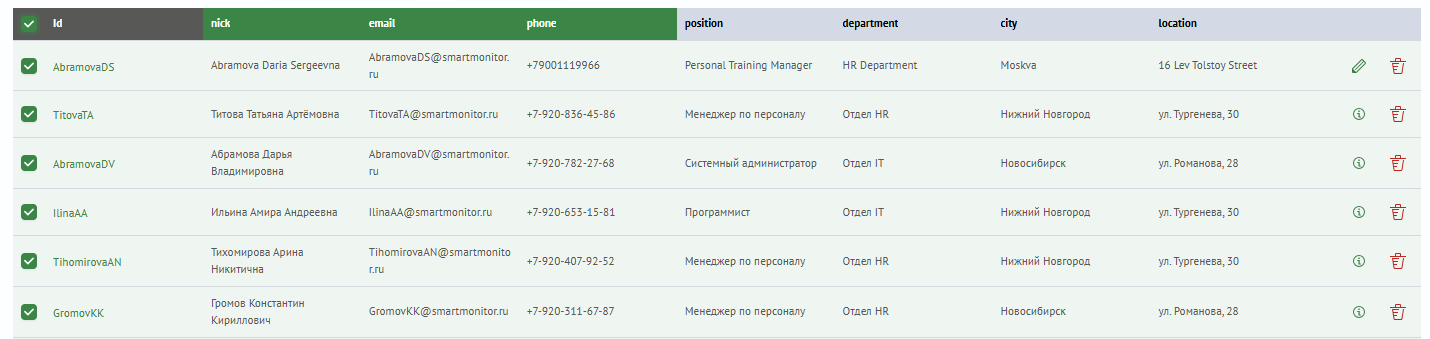
To clear all selected objects, click Clear selection. This button appears above the table only when objects are selected.

Selected objects are preserved while switching table pages, searching, or applying filters (within the currently selected object type).
Bulk Object Deletion
To delete multiple objects:
- Select
Objectsin theUser Behavior Analyticssection of the navigation menu - Select the required object type in the
Select typedropdown above the table - Select objects to delete using checkboxes
- Click
Delete <n> objects. This button is above the table and appears only when objects are selected
- In the modal window, confirm deletion by clicking
Delete

- Selected objects are removed from the objects list
These actions permanently delete the selected objects.
Deleting All Objects of a Selected Type
To delete all objects of a selected type:
- Select
Objectsin theUser Behavior Analyticssection of the navigation menu - Select the required object type in the
Select typedropdown above the table - Click
Clear all objects of this type(trash icon). This button is above the table next toSettingsandFilters
- In the modal window, confirm by clicking
Delete
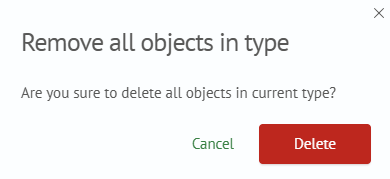
- All objects of the selected type are removed
These actions permanently delete all objects of the selected type.