Creating an Asset Manually
Main Asset Fields
Manually creating objects allows you to supplement an existing asset base or start building your own.
To do this, navigate to the database where the object will be created, then click the Create object manually button. After proceeding, the manual object creation menu will be displayed.
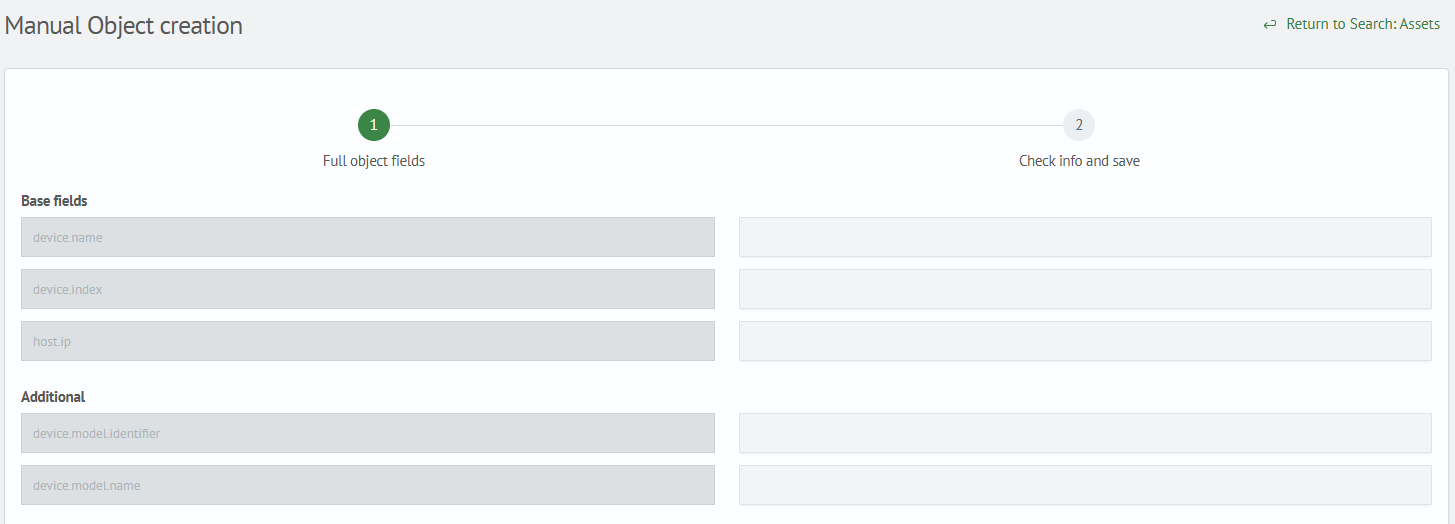
The form consists of the following components:
- Basic fields — filling in values for basic fields; the composition of basic fields is determined by the asset configuration
- Additional fields — filling in values for additional fields; the composition is determined similarly to basic fields, and you can also add your own fields using the
Add fieldbutton
Once all fields are filled in, click the Next button below.
Confirmation and Saving
The second form displays verification information before saving the manual object. The form consists of the following:
- Basic fields
- Additional fields
- Category — the category in which the object will be saved
- Entity — the configuration name where the object will be saved
- Index — the index name where the object will be saved
note
The Category, Entity, and Index parameters are filled in automatically. The filling depends on which asset database the manual object is being created from.
After verifying the information, click the Save button.